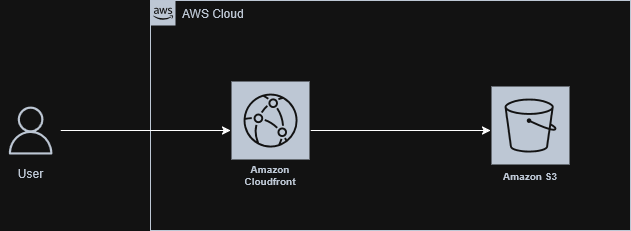
In the previous article, we accessed the Moments app’s static content directly from S3. Leaving S3 objects publicly accessible is insecure, so we’ll place Amazon CloudFront in front of the S3 bucket to protect the content.
Amazon CloudFront
Amazon CloudFront is a CDN (Content Delivery Network) service that securely delivers content to users globally with low latency and high transfer speeds. It does so using its global network of data centers called edge locations. CloudFront also enhances the resiliency and security of content.
Faster Content Delivery
CloudFront edge locations cache frequently requested static and dynamic content. Because edge locations are distributed globally, the one nearest to the user can serve content with lower latency and faster load times.
Secured S3 Access
With CloudFront between the user and S3, only CloudFront can access the bucket, protecting S3 from direct public access. CloudFront can enforce secure communication protocols (for example, HTTPS), restrict access to authorized users, and inspect requests for malicious activity.
Architecture
Implementation
First, ensure the S3 bucket is not publicly accessible. Check the bucket policy status and remove any public bucket policy. Optionally enable S3 Block Public Access to prevent public access at the account or bucket level.
After removing the public policy, direct HTTP access should return HTTP 403. Then create the CloudFront distribution and update the bucket policy to grant read access only to CloudFront by specifying the CloudFront service principal and the distribution’s SourceArn.
Protect S3
We can still access the S3 bucket directly from the Internet:

- Check the public access status of the S3 bucket that we created in the previous post.
moments ~ aws s3api get-bucket-policy-status --bucket moments-place-for-memories
{
    "PolicyStatus": {
        "IsPublic": true
    }
}
- Delete the bucket policy for public access using
delete-bucket-policy.
moments ~ aws s3api delete-bucket-policy --bucket moments-place-for-memories
moments ~ aws s3api get-bucket-policy-status --bucket moments-place-for-memories

An error occurred (NoSuchBucketPolicy) when calling the GetBucketPolicyStatus operation: The bucket policy does not exist
After removing the public bucket policy, direct requests to the S3 bucket now return HTTP 403 (Forbidden) as expected, since the bucket is no longer publicly accessible.

This behavior is intentional - CloudFront will sit in front of the bucket, so the distribution can fetch objects from S3 while the bucket itself remains private.
Enable CloudFront
To place CloudFront between the user and S3, create a CloudFront distribution.
A CloudFront distribution is a set of instructions that tells CloudFront where to find content and how to deliver it to users. The source of content is referred to as the Origin.
Let’s create a CloudFront distribution in the AWS Console:
- Go to CloudFront → Distributions → Create distribution.
- For now, select “Pay as you go” as the plan.
- Set Distribution name to “moments”.
- Choose Distribution type: “Single website or app”.
- In production, we will specify a domain; for now, leave it blank.
- Set Origin type to “Amazon S3”.
- Select the appropriate S3 bucket as the origin. In this case:
moments-place-for-memories.s3.us-east-1.amazonaws.com. - Ignore the following option, since we are using S3 as storage rather than as a static website host:
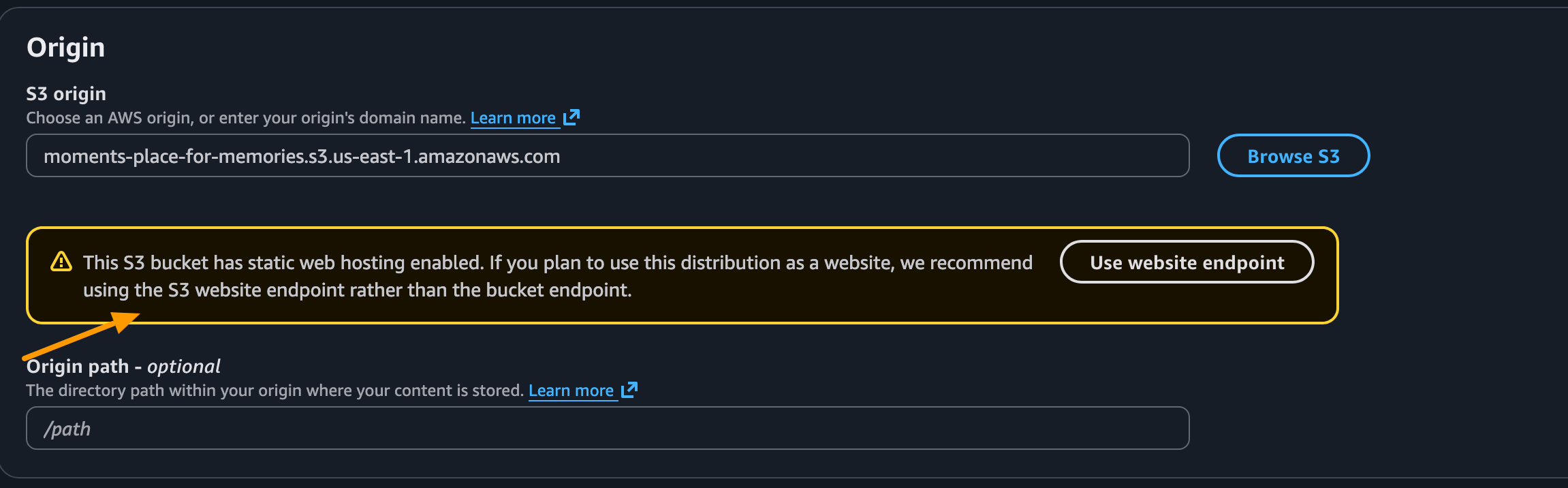
- Leave the remaining settings at their defaults.
- Click Create distribution.
Bucket Policy Update
Ensure that under Amazon S3 → Buckets → your-bucket → Permissions → Bucket policy you have the following policy. Update the policy with your bucket name and CloudFront Distribution ARN. This policy grants read permission to the CloudFront distribution.
{
    "Version": "2008-10-17",
    "Id": "PolicyForCloudFrontPrivateContent",
    "Statement": [
        {
            "Sid": "AllowCloudFrontServicePrincipal",
            "Effect": "Allow",
            "Principal": {
                "Service": "cloudfront.amazonaws.com"
            },
            "Action": "s3:GetObject",
            "Resource": "arn:aws:s3:::moments-place-for-memories/*",
            "Condition": {
                "StringEquals": {
                    "AWS:SourceArn": "arn:aws:cloudfront::569894476820:distribution/E3BTDNM1GT4N84"
                }
            }
        }
    ]
}
CloudFront distribution deployment can take a few minutes.
You can view the newly created CloudFront distribution here:

Copy the Distribution domain name from here:

Now the Moments app should be available via the CloudFront distribution domain:

Congratulations 🎉. S3 is now secured with CloudFront in front of it.
Update Default Page for CloudFront Distribution
Here, we were appending /index.html to the domain.
We can avoid this by setting the default page to load when the CloudFront distribution domain is accessed.
- Navigate to CloudFront → Distributions → your-distribution → General
- Set Default root object to
index.html
With this, we will be able to access the home page directly at http://<cloudfront-distribution-domain-url>
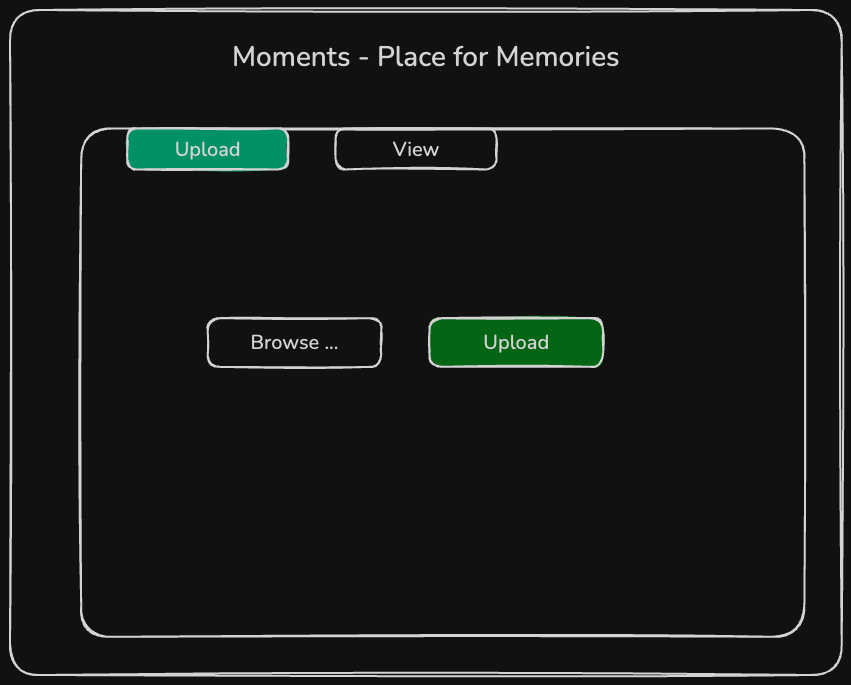
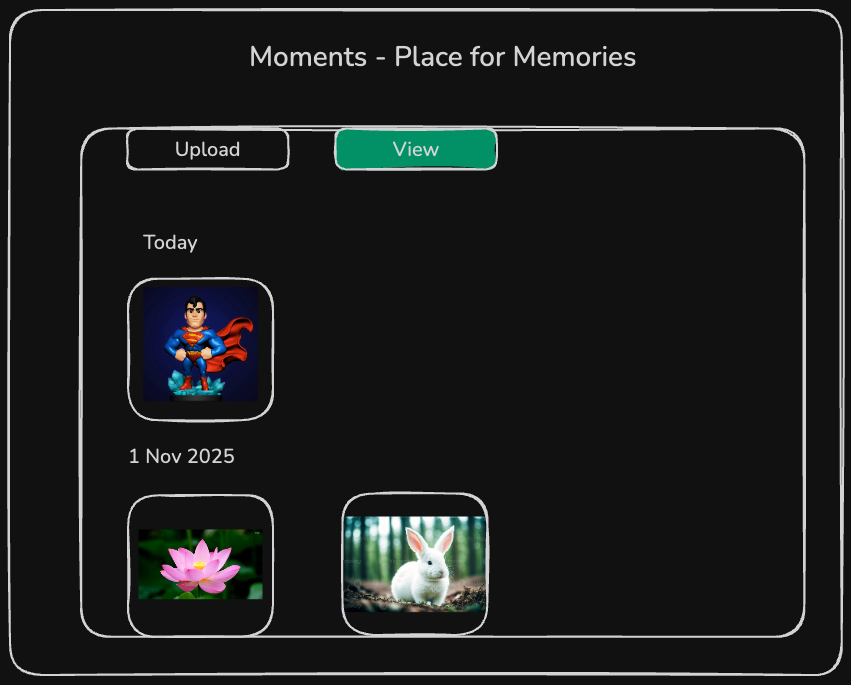
Next, we will implement the frontend and backend functionality of the app for uploading and viewing photos.
 |  |
|---|